PXE Provisioning
Run PXE workflows from the asset page.
Launch reinstall, rescue, discovery, diagnostics and diskwipe workflows with lifecycle steps tied to the server.
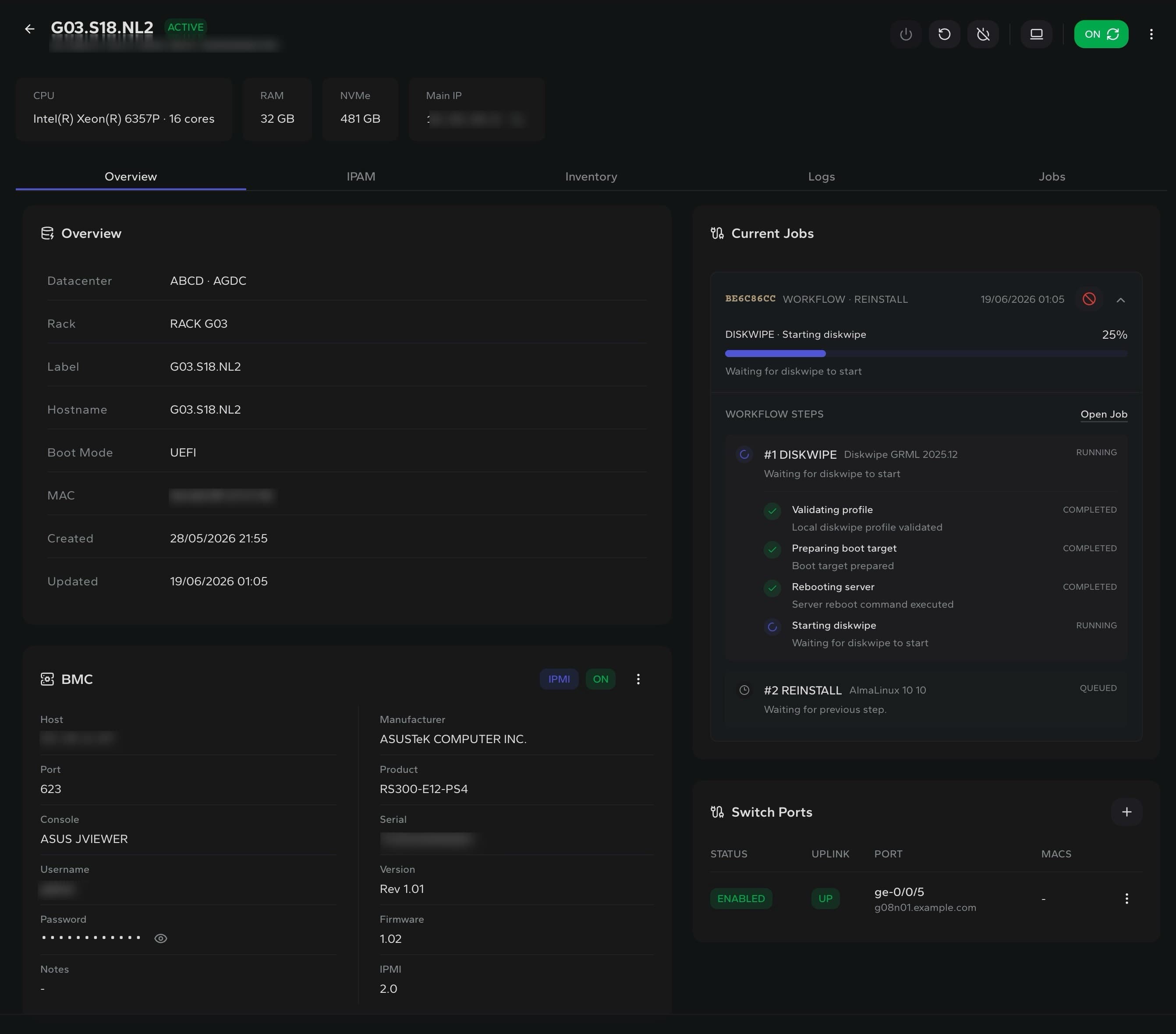
Profiles
OS template, scripts and disk layout selected before install
PXE workflow
Prepare boot target, reboot server and run installer
Lifecycle
Track reinstall, discovery, diagnostics and diskwipe progress
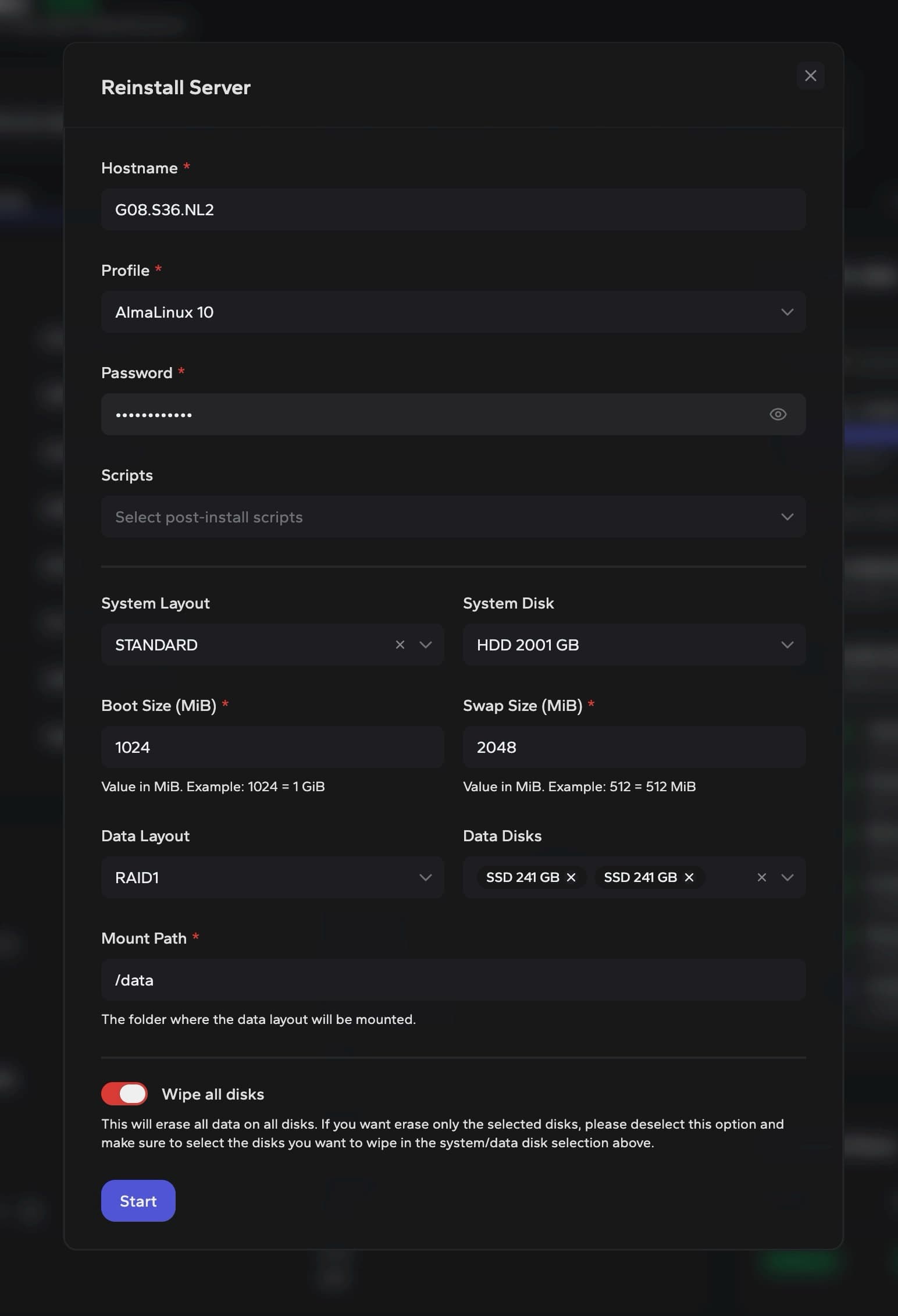
Reinstall setup
Choose the operating system, disks and wipe scope before PXE boot.
Operators can select the profile, post-install scripts, system layout, data disks and destructive wipe behaviour in one controlled flow.
Profile validation
Check the selected OS profile and local installer assets before booting the server.
Disk control
Choose system disks, data layout and wipe scope before the workflow starts.
Boot orchestration
Prepare PXE boot, reboot through the agent and move into the installer runtime.
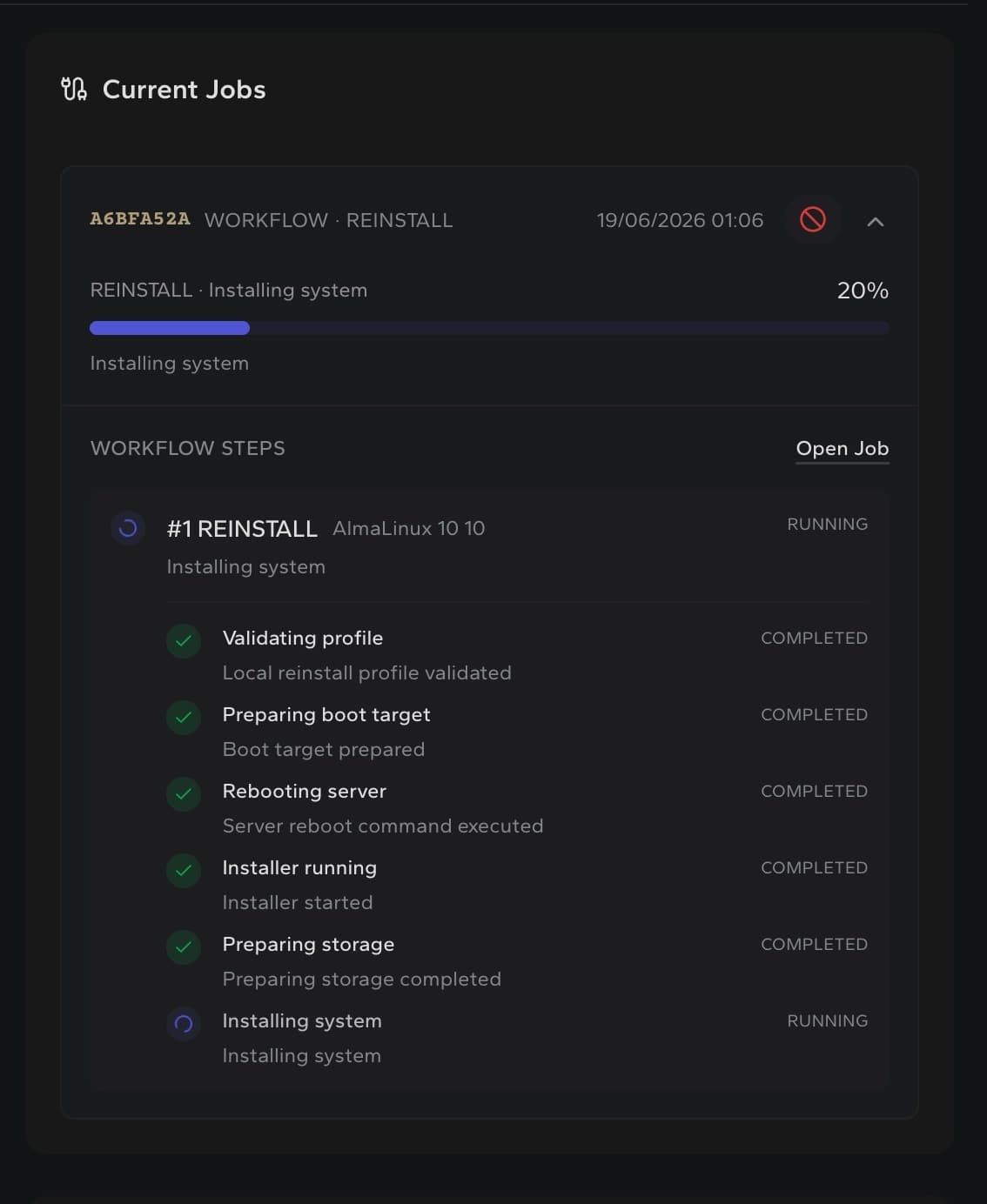
Workflow progress
Follow every PXE step from validation to install.
DCIM keeps the running workflow visible on the server: validation, boot target, reboot, installer runtime, storage preparation and final install.
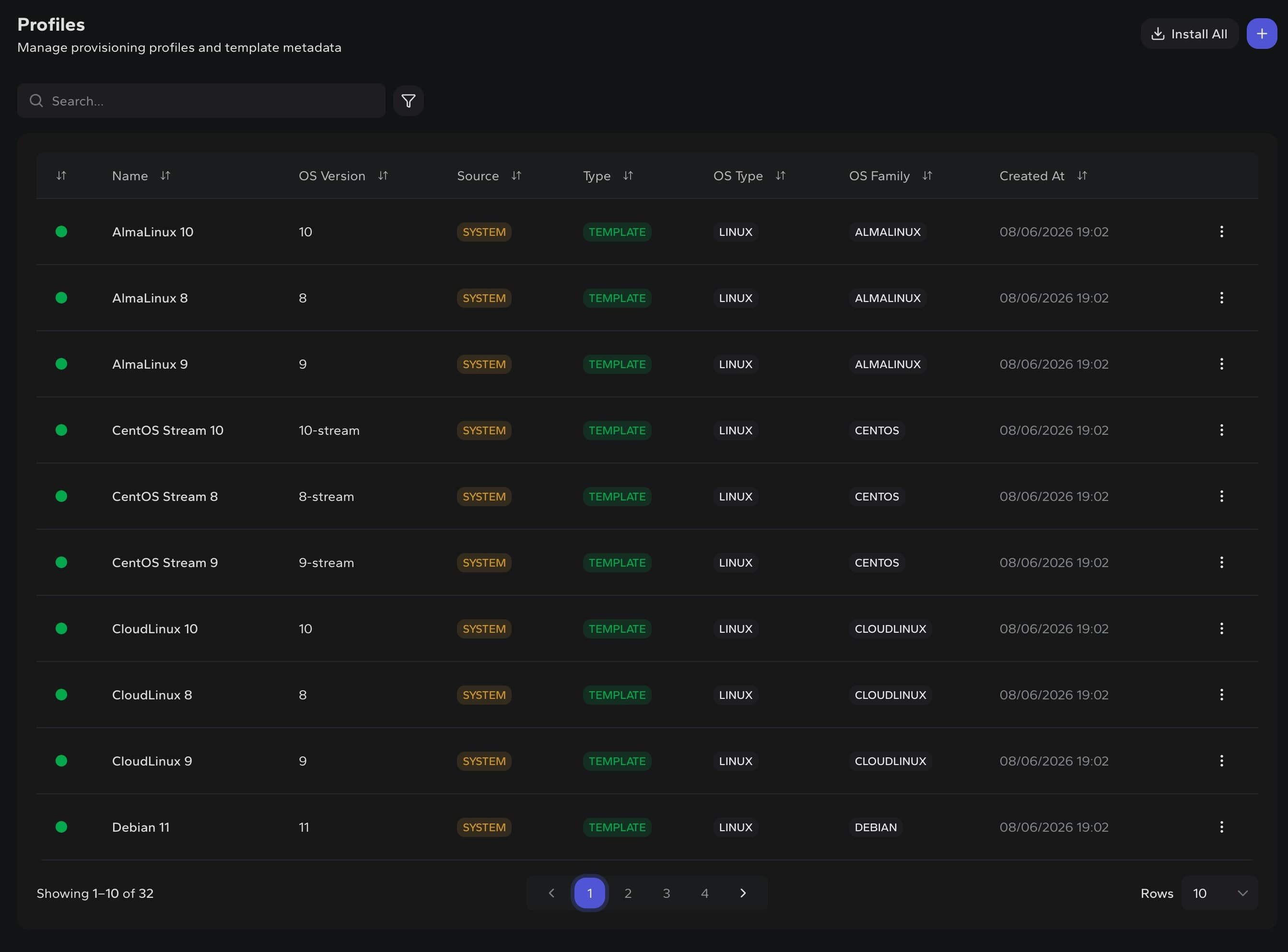
Provisioning profiles
Standardize reinstall inputs before operators use them.
Profiles define the OS family, version and template source that PXE workflows can reuse across servers.
Built for repeatable bare-metal operations