Self-hosted DCIM
Self-hosted infrastructure control for hosting providers.
Use DCIM to manage physical servers, racks, IPs, BMC access and provisioning workflows from one control plane installed on your own infrastructure.
Server inventory
BMC power actions
PXE provisioning
IPAM and racks
Product preview
A DCIM dashboard for your infrastructure.
A clear workspace for servers, racks, IPs, access and provisioning workflows.
Core operations
01Power
Control servers
Power on, reboot or recover bare-metal servers without walking into the datacenter.
02IPAM
Track IP space
Manage subnets, allocations and ownership before IP data drifts across spreadsheets.
03Placement
Map racks and rooms
Place servers, switches and parts in rooms, racks and units with clear context.
04Inventory
Know every device
Keep hardware, ports, lifecycle state and owner tied to each server or switch.
05Recovery
Reach broken systems
Open console access when SSH is down, the OS is missing or recovery is needed.
06PXE
Automate provisioning
Run reinstall, rescue, discovery, diagnostics and disk wipe workflows from approved templates.
Inventory, access, network and automation stay connected.
Platform capabilities
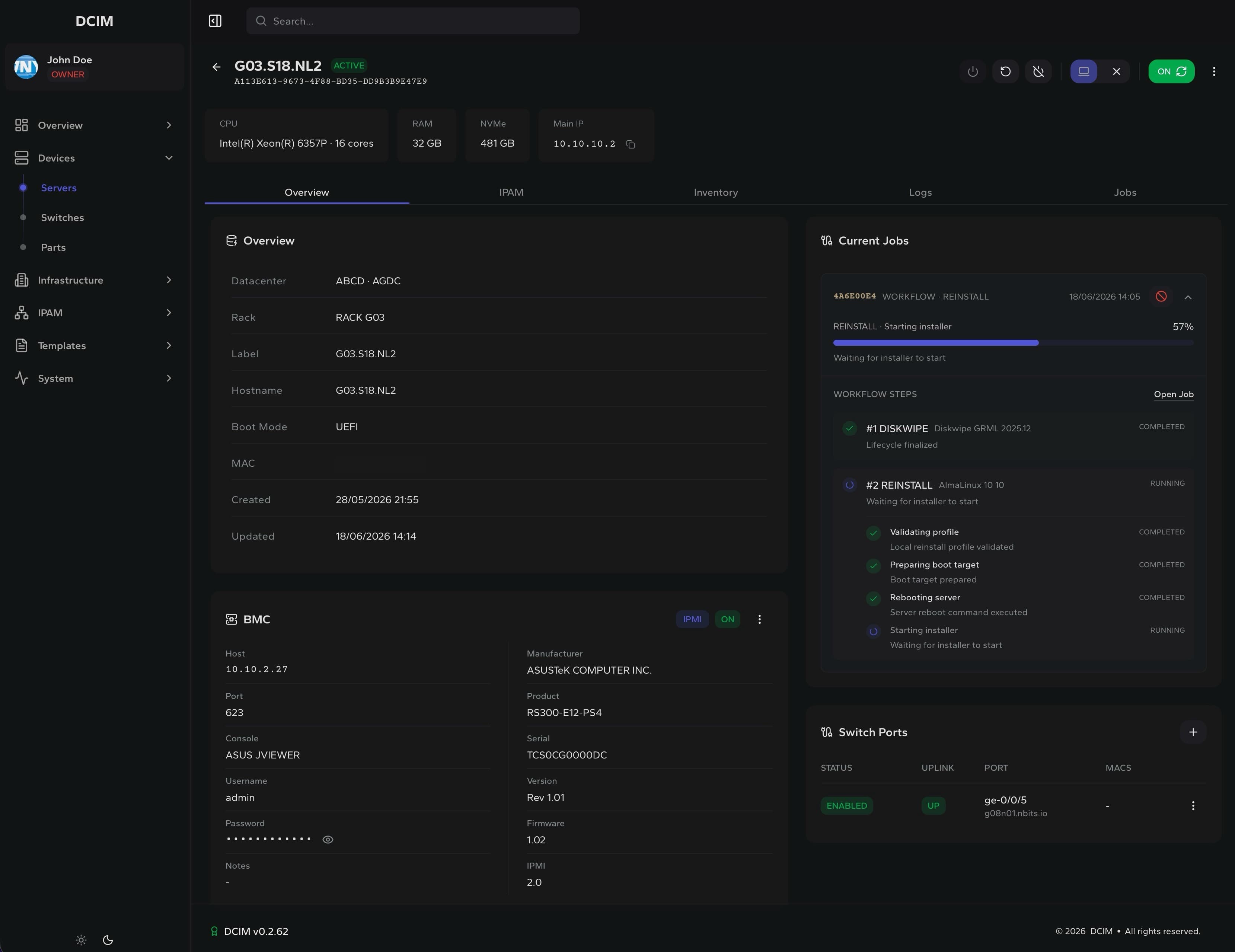
Every server record becomes an operations hub.
DCIM links each machine to location, access, IPs, templates and jobs, so operators can move from lookup to action without leaving the platform.
DCIM control plane
Location, access, network and jobs stay attached to the device.
Devices
Servers
Access
BMC
Network
IPAM
Automation
PXE
Self-hosted infrastructure
01 / inventory
Physical inventory
Model the physical estate so operators can find the right device, location and owner before taking action.
Datacenters, rooms and racks
Rack units and device placement
Servers, switches and parts
Hardware discovery
Ownership and lifecycle state
02 / network
Network source of truth
Keep network records tied to the equipment using them, instead of splitting IPs, ports and ownership across tools.
IPAM subnets and allocations
VLANs and switch ports
Server IP assignments
DNS sync and ownership
Traffic and port context
03 / execute
Controlled execution
Run high-impact operations from approved workflows and keep the final state visible to the team.
BMC power actions
Private remote consoles
PXE reinstall and rescue
Discovery and diagnostics jobs
Disk wipe workflows
Job logs and audit trail
Use cases
Built for teams that operate real hardware.
DCIM is focused on providers and infrastructure teams that need inventory, network context and recovery actions connected to physical servers.
Audience
Operators
Estate
Bare metal
Operational use cases
Hosting providersFleet control
Run dedicated server fleets
Find the server, power-cycle it, open console access and run a reinstall from the same operational record.
Signals
Customer server records
BMC and remote console
Reinstall and rescue jobs
Datacenter teamsPhysical clarity
Keep physical estate visible
Replace rack spreadsheets with rooms, racks, units, switches and parts that stay tied to real operations.
Signals
Rack unit placement
Switch and server inventory
Hardware lifecycle
Network operationsNetwork truth
Tie network data to hardware
Connect IPAM, VLANs, switch ports and DNS ownership to the physical devices using those resources.
Signals
Subnet allocations
VLAN and port context
DNS ownership
Recovery workflowsClean recovery
Recover bare metal cleanly
Use approved workflows for discovery, diagnostics, rescue, disk wipe and OS reinstall while keeping progress visible.
Signals
Discovery and diagnostics
Rescue sessions
Disk wipe and reinstall
How it works
From inventory to controlled execution.
Start with accurate infrastructure data, attach the operational controls and run the work from the same record your team already trusts.
Model - Attach - Run - Review
01 / model
Model the estate
Add datacenters, racks, servers, switches and IP ranges with the relationships operators need.
02 / attach
Attach access
Attach BMC access, PXE boot, templates and automation targets to each machine.
03 / run
Run workflows
Run reinstall, rescue, discovery, diagnostics and disk wipe workflows from controlled templates.
04 / review
Review the outcome
Review the operator, server, logs, workflow progress and final state in one place.
Ready for control
Operate your infrastructure from one trusted place.
Operate servers, racks, IPs and recovery workflows without switching between tools