Network Visibility
See switch ports and traffic around every asset.
Keep switch reachability, connection details, port assignments and traffic history connected to the infrastructure records they support.
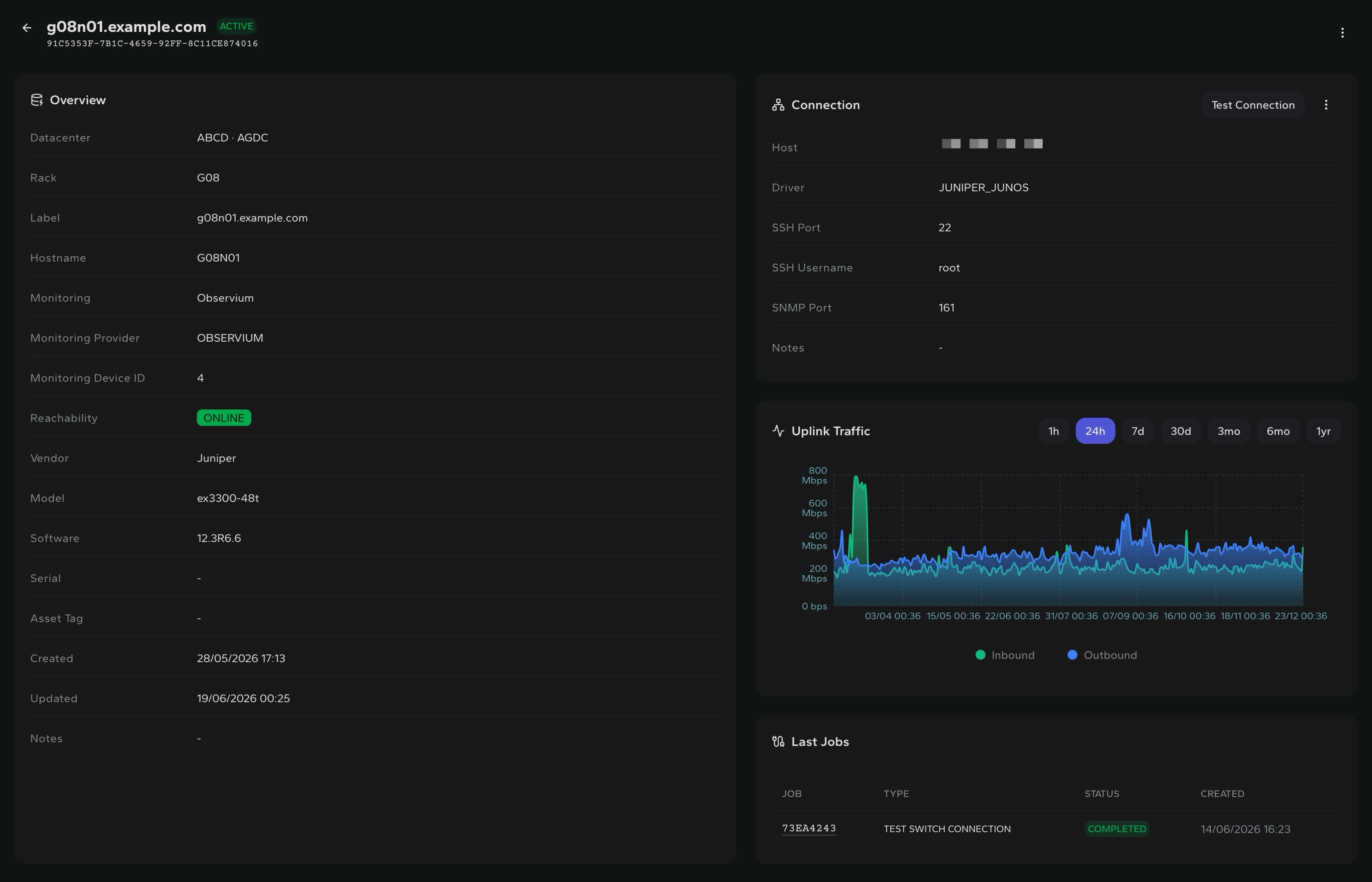
Switch state
Reachability, model, software and connection data
Port context
Status, speed, VLAN and assigned server
Traffic
Inbound and outbound history where operators work
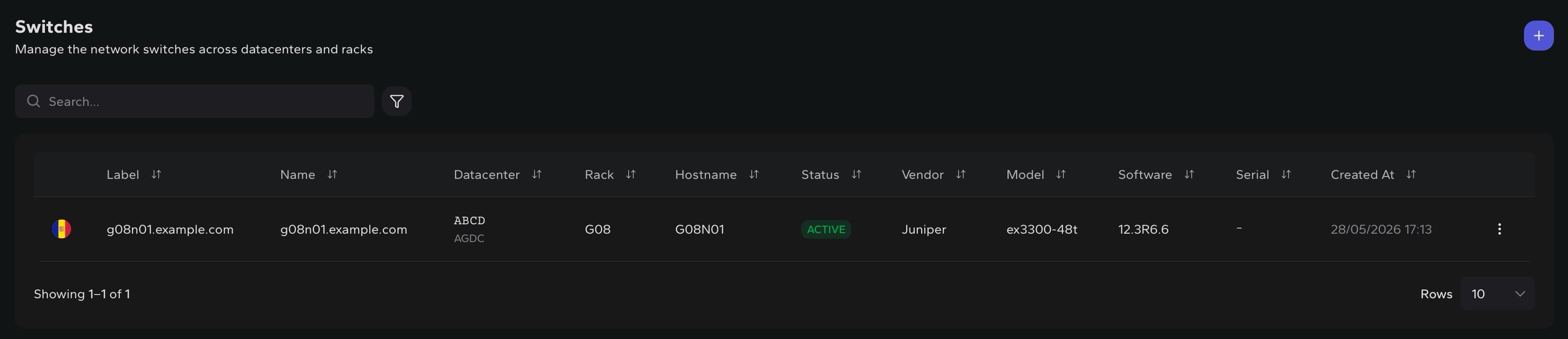
Switch registry
Start from the switches that own the rack edge.
Operators can scan location, rack, reachability, vendor, software and model before opening a device.
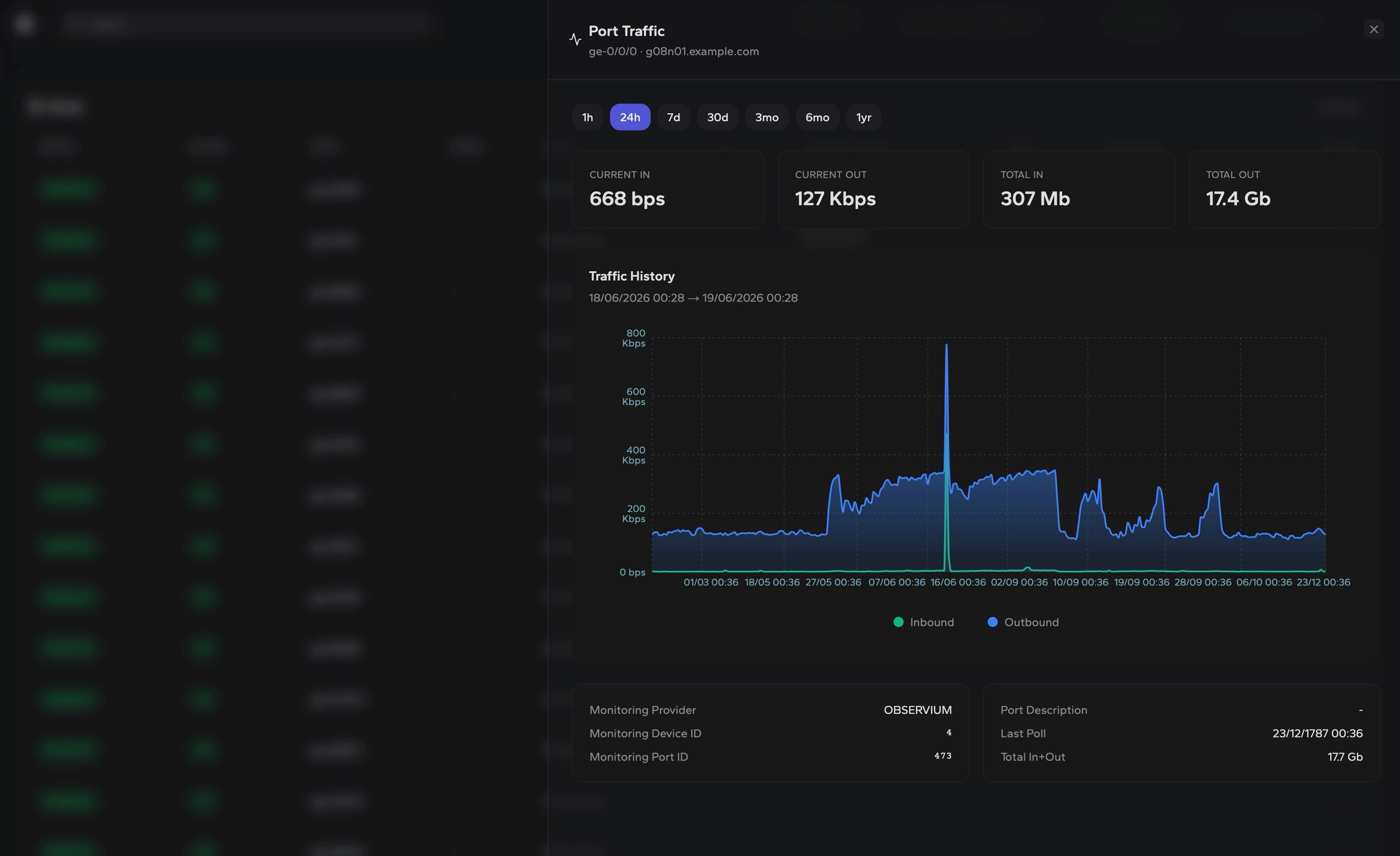
Port traffic
Inspect traffic before acting on a port.
Review inbound, outbound and total traffic for a switch port without losing the port context behind the chart.
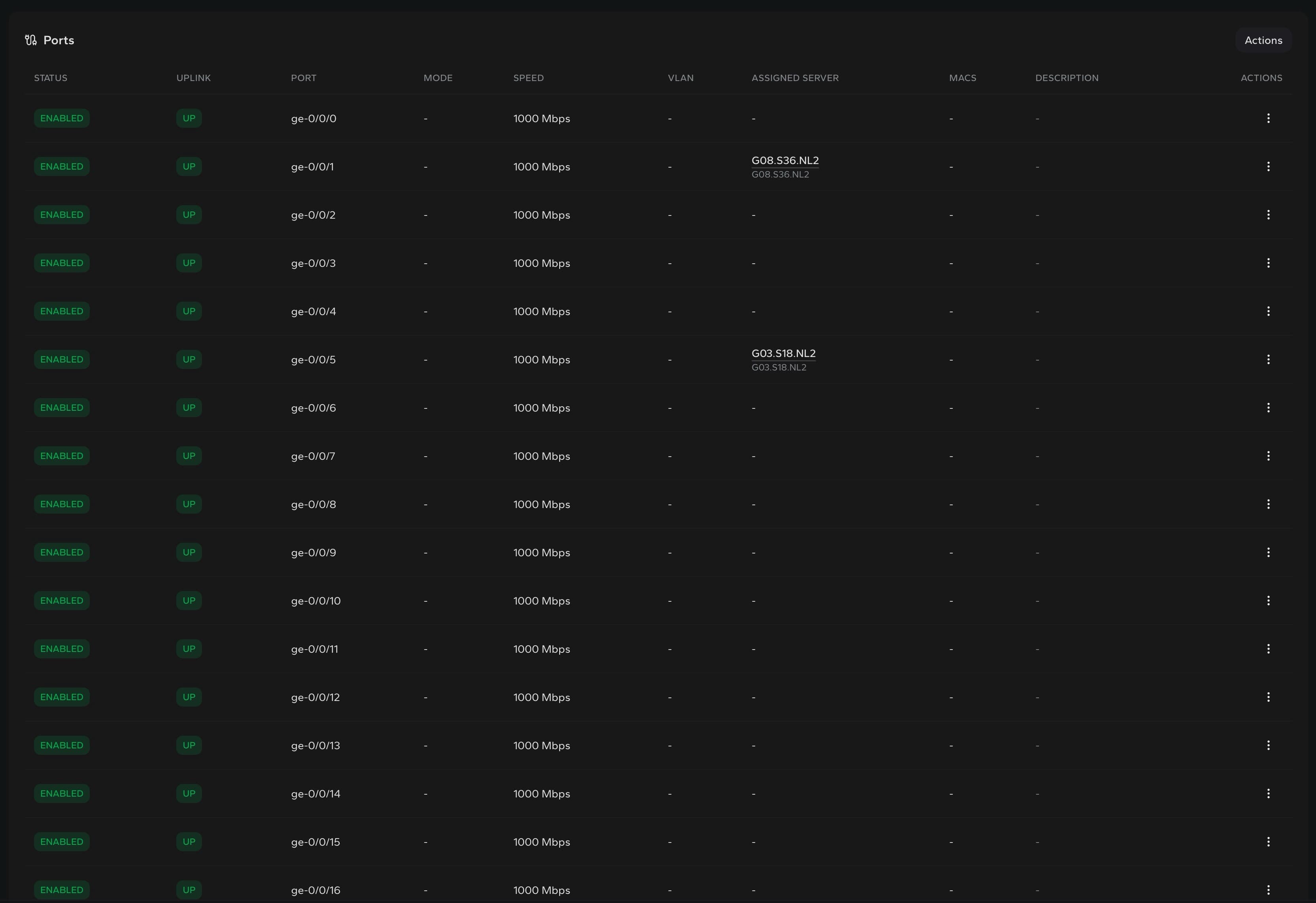
Port operations
Make port data useful before the change window.
The ports table keeps status, uplink, speed, VLAN and server mapping in the same operational view.
Port changes
Keep interface updates tied to the asset they affect.
Assignments
See which server is connected to each switch port before changing it.
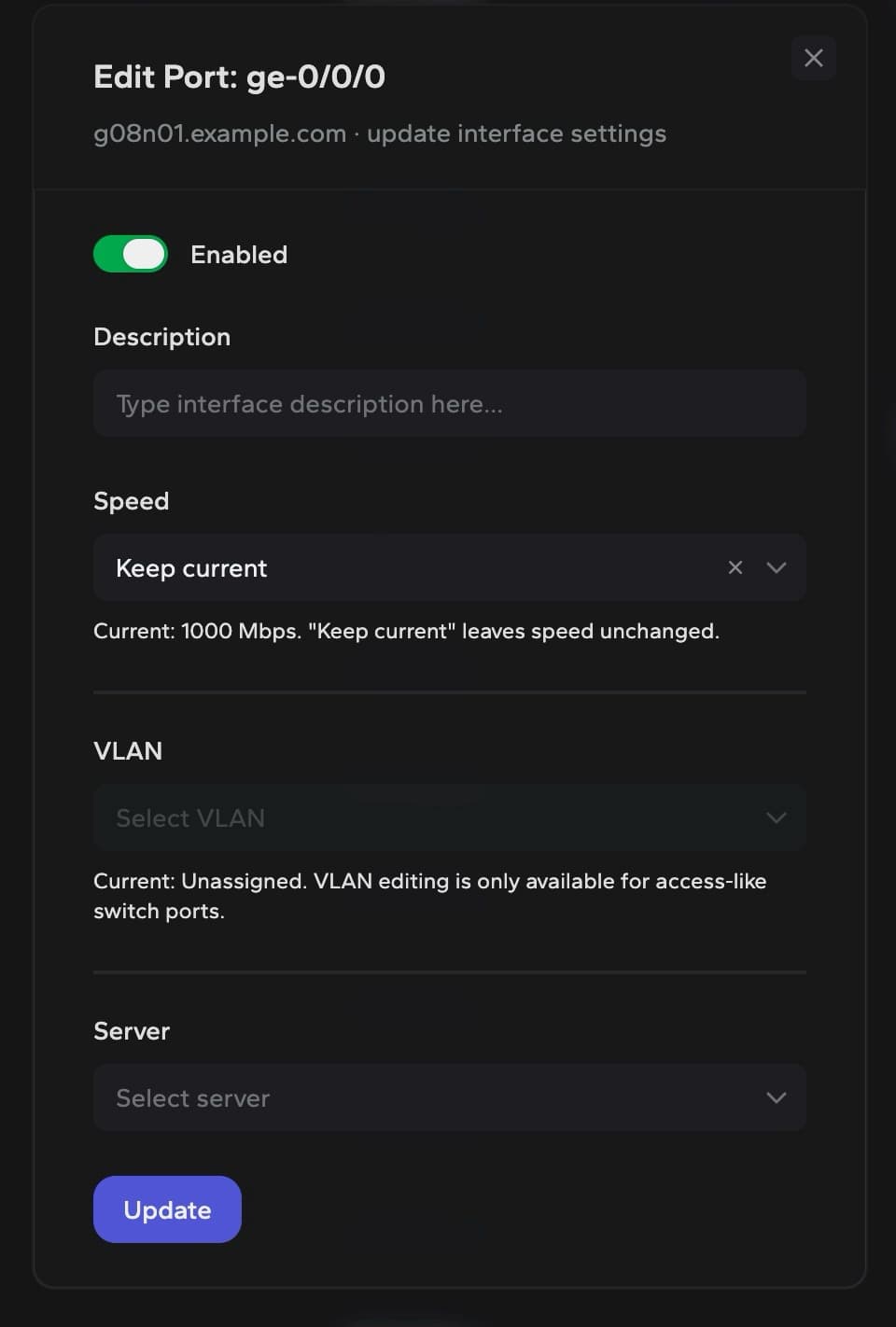
Configuration
Update description, speed, VLAN and server mapping from the port workflow.
Traceability
Keep network changes close to the device, rack and datacenter context.
Built for connected infrastructure