Backups & Recovery
Keep DCIM backups and recovery ready.
Schedule complete DCIM backups, keep a clean retention window and restore from a backup archive when the instance needs to be recovered.
Database dumpRuntime configLicense filesBackup metadataRestore state
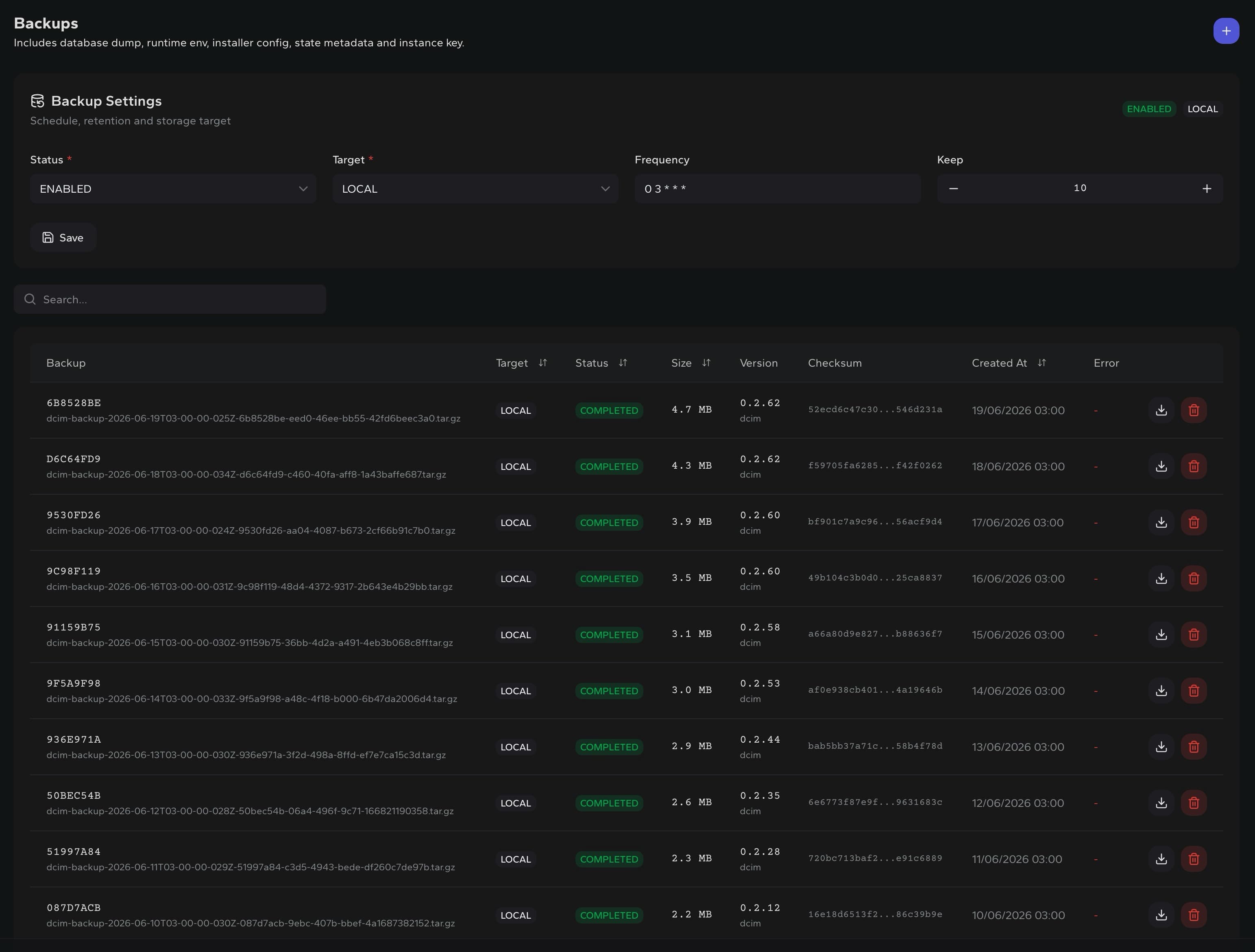
Schedule
Run backups automatically from a cron expression
Retention
Keep the latest archives and remove old ones
Targets
Store backups locally or in Cloudflare R2
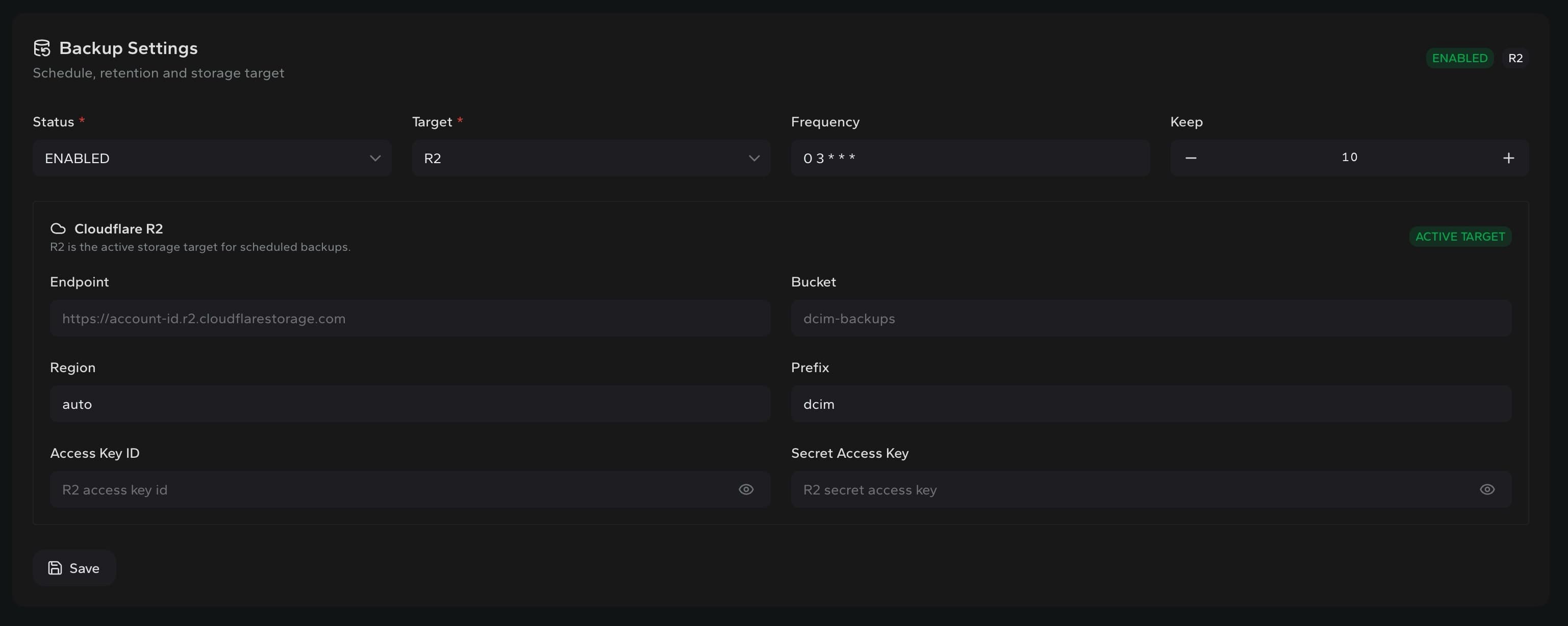
Storage target
Send scheduled backups to local storage or R2.
Configure status, target, frequency and retention from one place. When R2 is active, endpoint, bucket, region and credentials stay tied to the backup settings.
Restore
Restore from a backup archive by shell.
Recovery is explicit: choose the archive and run the restore command on the DCIM host.
dcimctl restore /path/to/dcim-backup.tar.gzDownload
Keep completed backup archives available for download before restore.
Checksum
Track each archive with version and checksum metadata.
Cleanup
Remove old archives manually or through the configured retention window.
Built for recoverable operations